Use NIC teaming feature to share load and get passive failover

NIC teaming with VMware vSphere 4
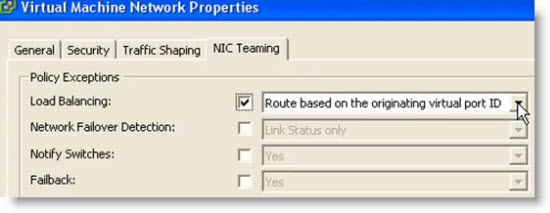
With VMware vSphere 4 you have the possibility to team your NICs and benefit redundancy and share the network load of traffic between physical and virtual networks among the members of the network. The configuration is easy via GUI even if its possible use CLI (command line interface) for doing it.
To be able to use NIC teaming you’ll need at least 2 physical nics configured as an uplinks to your vswitch. I found video on VMware KB to show you that configure NIC team is very easy.
The association of multiple NICs with a single virtual switch to form a team. Such teams can provide
passive failover and share traffic loads between members of physical and virtual networks.
Some reads:
- Configure the virtual port group NIC teaming and fail-over policy (p. 41)
- Simplify VMware vSphere* 4 Networking with Intel® Ethernet 10 … (doc from Intel about 10Giga LAN cards)
- And a great post I stumbled in on Kendrick Cooleman’s blog about different network design.
Source: VMware KB
You might also be interested in those related posts from my website:
- NIC Teaming configuration video
- See a list of Storage Array Type Plugins on ESX Server
- Starwindsoftware iSCSI SAN 5.0 is out with HA feature
- vCenter Server Linked Mode video
- Setting up iSCSI connection in ESX 4 how-to video from VMwareKB TV
This post was originaly posted at www.vladan.fr by Vladan SEGET. Do want to learn some more about vSphere? Do it the easy way (smart way) with Train Signal and their great video learning courses. Get the best training course for VMware vSphere 4 today.
You can follow me on Twitter. or see me at Facebook.
Technorati Tags: nic teaming, nic teaming policy, nic teaming video


 "
"


Comments
Post a Comment